Kiosk Mode in Your Boutique: Hardware, Setup & Best Practices
Tablet, Android totem or large touch display? The right hardware decides whether your advising mirror becomes a highlight – a practical guide with checklist.
01
Level 1: Tablet on a stand – the smart entry
An iPad or Samsung Galaxy Tab on an elegant floor stand is ready in an hour – the perfect entry point. Ideal at the counter or in front of the fitting rooms. Choose a stable, rotatable mount that fits your store's look and enable guided access so the device stays in kiosk mode.
02
Level 2: Portrait Android totem – the mirror experience
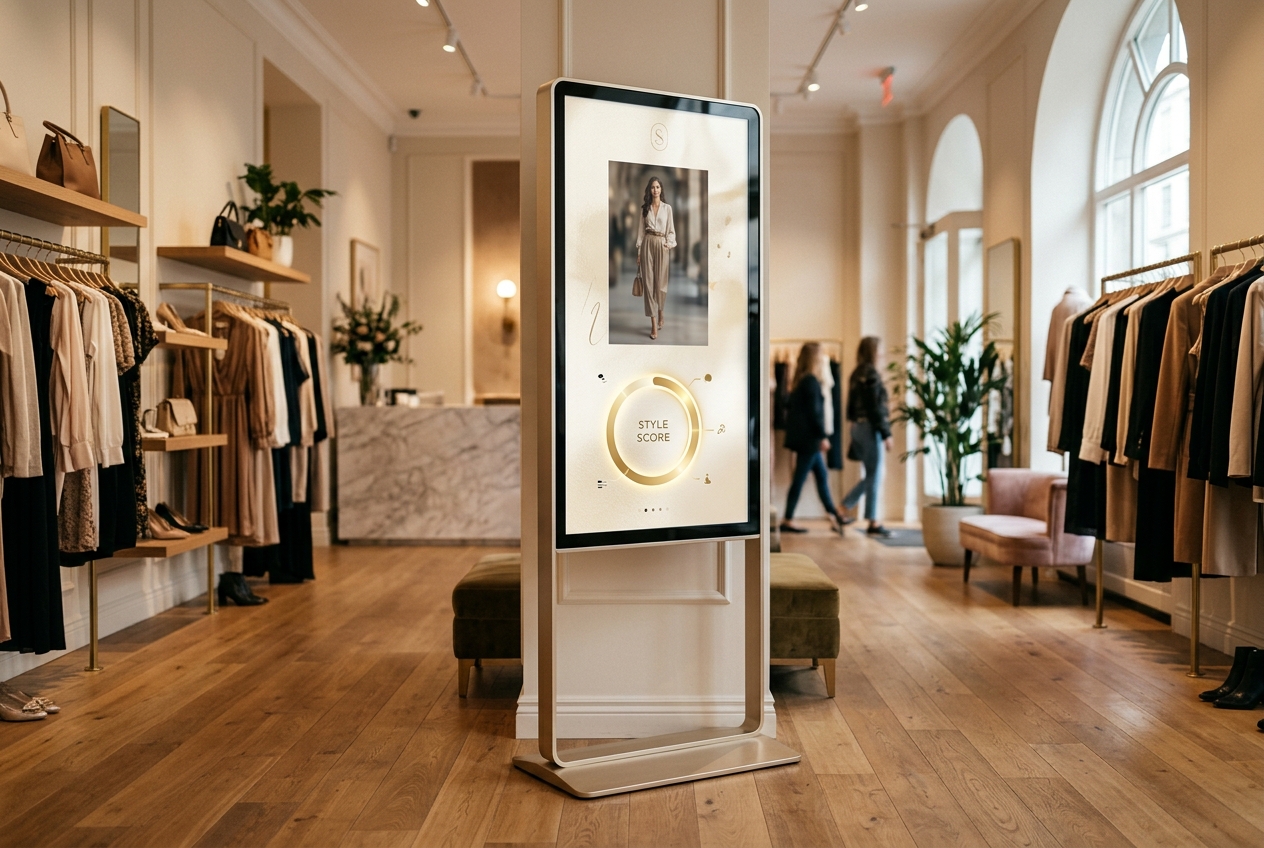
Free-standing 55-inch portrait totems come closest to the mirror metaphor: customers see themselves almost life-size. Many models have a built-in camera and run natively on Android – Mira starts right on the device. Place the totem where footfall and light are right: centrally in the store, not against the backlight of the shop windows.
«For flagship stores, a professional 55-inch 4K touch display like the Philips T-Line is worth it: native Android with Google Play support, remote management for multiple locations and sizes up to 86 inches.»
— Mira Mirror Magazine
03
Level 3: Premium touch displays, e.g. Philips T-Line
For flagship stores, a professional 55-inch 4K touch display like the Philips T-Line is worth it: native Android with Google Play support, remote management for multiple locations and sizes up to 86 inches. Displays without their own camera get a discreet USB camera on the top frame. Alternatively, a Samsung Flip can be paired with a player via USB-C.
04
Setup checklist for launch
Test stable Wi-Fi on site, configure the device for 12/7 operation and automatic start, screen at eye level (camera approx. 150–160 cm), indirect light without reflections, a hygiene station next to it, and: train the team – the best technology only works when associates actively invite customers to try it.
Frequently asked questions
Ready for your mirror moment?
Discover MiraRelated articles
Now in the stores
Get Mira on your phone.
The Mira app is now free on the Apple App Store and Google Play – in 5 languages. Download it and start with your first honest style analysis.